




The Digital Marker is a public information platform embedded in a community location, inside sheltered from the weather or outdoors in the wild.
All the key resources should be easily available and adaptable following this guide.
Each installation needs environmental protection, power and network access for monitoring and maintenance. As well as providing designs for a weatherproof case, options for outdoor installation, further customisation and adaptation is encouraged to suit any location.
 Digital Markers use free and open-source software with low-cost computer hardware.
This guide is authored using WordPress the worlds most widely used publishing system which can be updated and adapted to accommodate all forms of digital media and methods of access with smartphones and PCs.
It’s one of a set of featured tools on the Digital Markers platform which combines wireless hotspot access with a publishing platform for the Raspberry Pi. Widespread adoption of small form factor PC technologies has energised innovation and experimentation with networks and information sharing.
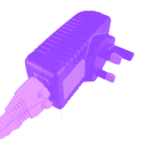
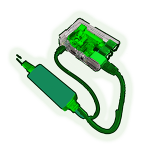
Where we are using a Raspberry Pi at the heart of a Digital Marker a standard power supply unit (PSU) provides what’s needed when adjacent to the power outlet (typically 1.5m).
More remote installations will require power over ethernet solution (POE). A dedicated POE injector or powered switch is used to deliver 48v/0.5a over Cat5 ethernet cable. It’s then transformed into the required power supply of 5v/3a up to 50m without substantial loss. The advantages of this method are stable power, integrated network connection and low cost of materials.
A series of practical workshop plans are included in the guide to support document authoring and capture, audio recording, 3d modelling and printing.
The Digital Marker presents information about a specific location its social histories and social situations in proximity. It may invite interaction or simply inform on changing conditions for those connecting to it’s dedicated wireless access platform.
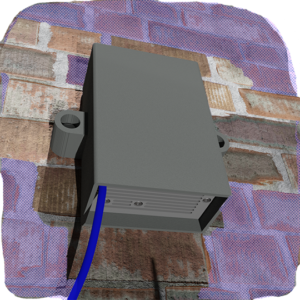
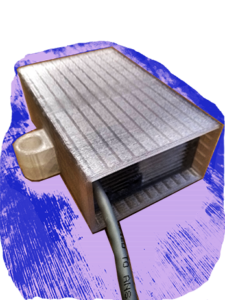
It is housed in weather protected case that has been engineered to allow cooling airflow and shed moisture protecting the small computer, data storage and low power systems. The case design can be customised to suit the environment, camouflaged or clearly signposted.
The Digital Marker can be installed anywhere, screwed to a wall or clamped on a tree. The case design features a set of fixing points to be used in a variety of different situations.
Your chosen location may not easily be in reach of mains power but thanks to the low power demand a solar panel can be used to deliver all the energy required to charge batteries and sustain operation day and night.
Install the Digital Markers image onto a micro SD card. It should not take more than 20 minutes to complete.
- First, download the latest SD image here.
- Download and install Etcher to flash the image to your microSD card .

- When complete insert into the SD card slot of the Raspberry Pi and turn it on.
To Install this guide to your Digital Marker download and import it to WordPress.